
SimpleHR Updates & Events
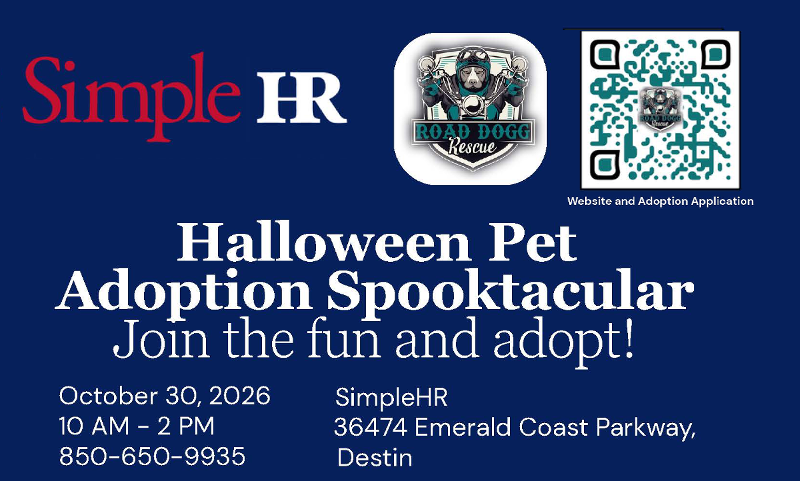
NEW! Employee Open Enrollment 2027
Open Enrollment for 2027 Benefits started October 5, 2026 and continues through October 31, 2026. This is your opportunity to add or change benefit elections for the 2027 plan year. Watch for an email from Employee Navigator with a link to sign up for benefits. A summary of the available benefit plans has also been provided to primary employer contacts or can be downloaded in SimpleHR Pro under the Documents section in the Benefit Packet folder. For more information contact the SimpleHR Benefit team at: 850.650.9935.
NEW! SimpleGIVE
SimpleHR is pleased to introduce SimpleGIVE, a new voluntary payroll giving program designed to make charitable giving easy, meaningful, and employee-driven. SimpleGIVE reflects a core principle of our approach to HR: Our Resources are Human— by empowering employees to support causes they care about which strengthens both workplace culture and community impact. Donations contributed by payroll deduction are managed by SimpleHR thus requiring minimal employer administration. To learn more about SimpleGIVE visit our SimpleGIVE page.


SimpleHR is a Professional Employer Organization (PEO) headquartered in Destin, FL, providing cost-effective human resource outsourcing while managing employee risks for client businesses for over 23 years. PEO license number EL374
Stay Connected

36474 Emerald Coast Parkway, Building B
Destin, Florida 32541
Toll Free: (888) 207-6703
Destin: (850) 650-9935
Pensacola: (850) 542-0566
Panama City: (850) 588-0926
Fax: (850) 650-9936
24-Hour Injury Line: (850) 974-2406







© 2003
SimpleHR ALL Rights Reserved.
Privacy Policy & Terms
SMS Privacy Policy
Messaging Terms & Conditions